
Concepts
How Tusk thinks
A short tour of the mental model. Read this once and the rest of the docs will feel obvious.
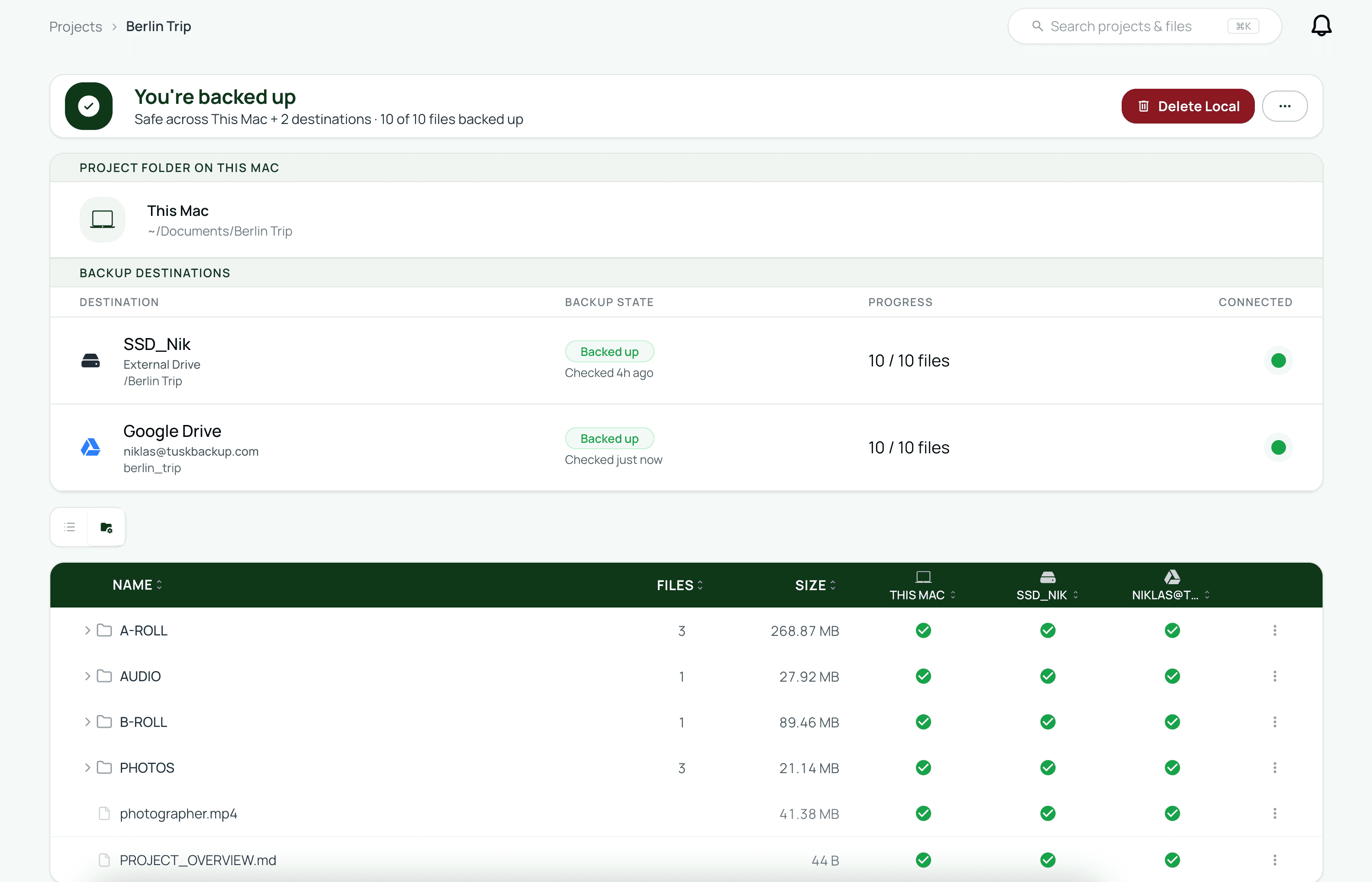
Most backup tools think in drives. Tusk thinks in projects. A project is a folder on your Mac that you actively work in (or one you used to work in and have since archived), plus a list of places it gets backed up to, plus an index of every file inside it.
That shift in shape is the whole point. Once a folder is a project, you can ask real questions about it. Where is this file backed up? Is it safe to delete locally? Which drive in the drawer holds the version from a year ago? A drive-shaped backup tool can't answer any of those.
Local-first, always
Tusk treats your Mac as the center of gravity, even when the files aren't physically on it. Every project starts with a primary folder on your Mac. That folder is the reference. Tusk watches it, tracks every file inside, and keeps the index up to date as files come and go.
The primary folder doesn't need to contain the actual data. If you offload an SD card straight to two external drives without copying anything to your Mac, the primary folder stays empty but the project still has a complete file index. The files exist as “Remote only” entries that point to where they really live.
This is why the model holds up: the primary folder doesn't carry the weight of the data. It carries the identity of the project. You can have a 4 TB project that takes up 0 bytes on your Mac and still see every file, every backup status, every hash.
Pick a primary folder you trust to stay put
Backup destinations are plural by default
A project has one primary folder and as many backup destinations as you want, up to five. Tusk syncs to all of them at once whenever it can. The destinations can be any mix of local and cloud:
- External drives (SSD, HDD, USB stick).
- Google Drive or Dropbox accounts (you can connect more than one of each).
- AWS S3, Backblaze B2, Cloudflare R2, MinIO, Wasabi, or any S3-compatible bucket.
When a destination isn't reachable (the drive isn't plugged in, your internet dropped), Tusk pauses syncing to that one destination and keeps going on the others. When the destination comes back, it picks up where it left off automatically.
Every file is tracked individually
Inside a project, every file has its own row in the index. The row remembers the file's name, size, hash (BLAKE3), and a status per destination. Tusk verifies each transfer end-to-end with a checksum, so “backed up” means “the bytes on the destination match the bytes that came off your Mac, confirmed.”
That granularity is what makes the rest of the app possible. Restore everything works because every file knows where it is. Delete local works because every file knows whether it's safe to remove. The file table is searchable, filterable, and sortable because every row is self-describing.

Tusk knows what's on your drives even when they're unplugged
The index lives in a small SQLite database on your Mac, not on the drives themselves. Even with every external drive sitting in a drawer, Tusk can still tell you that the wedding shoot from March lives on the drive labeled WeddingArchive_2024and a mirror in your Backblaze B2 bucket.
When you plug a drive back in, Tusk verifies that the files it expects to find are still there. If something is missing, the status flips and you get a notification, so you find out the moment something changed, not the moment you needed it.
The full round-trip
Once you've internalized the four ideas above (project, primary folder, plural destinations, per-file tracking), the round trip falls out naturally:
- Files arrive in the project (you save them, or you offload from a card).
- Tusk syncs every file to every destination and verifies each copy.
- You delete the local copies once the backups are confirmed.
- The files live on the destinations, tracked, findable.
- You restore them on demand from whichever backup is fastest to reach.
Every feature in Tusk maps to one of those five steps. If you ever get lost in the docs, ask which step you're on and the answer is usually nearby.
Related